What is phishing and how do I prevent it?

A recent study shows that many employees in the field of cyber security in the Netherlands still really need extra security awareness training. A simulation of phishing or ransomware helps.

It is also important in your organisation to know how people view cyber security. Which signals are recognised by your employees and which are not? And what would you get out of it if you did? This simulation provides answers to these questions and provides more insight into how people show click behaviour. In this way, employees create awareness about the dangers of the internet.

What is phishing and how do I prevent it?

That’s the question you’re going to answer in this video. In phishing, an attacker often tries to communicate with a possible victim via e-mail. With this, the attacker wants to persuade the victim to provide personal information that he can then use for his own purposes. Examples include identity fraud, extortion or financial gain.

Where does the term phishing come from

Phishing originates from the english term for fishing where a fish hook is used to try to remove a fish from the water. In the digital version, internet users are seen as the water in which the attacker will fish with his hook. The vast majority of internet users will not be hooked just like real fish. A small percentage will bite and fall victim to phishing. This small percentage is often sufficient for a hacker because the stolen amounts of money are large, or the stolen data is of high value.

In the digital version, the f has been replaced by ph as a reference to another form of hacking that took place over the telephone. Called phone-freaking.


Cookies Phishing

A fraud-based attack that simulates the behaviour of cookies to steal user information, including login details and passwords. For years, the Internet has seen an increase in phishing attacks. Cookies Phishing attacks have been observed enticing users to click on fake popups that simulate login pages and contain their own cookies to grab the data the user entered when logged in.


What do attackers use?

In order to convince potential victims, cyber criminals use many different methods. For example, they copy e-mails that seem to come from banks or well-known companies, they copy their websites from banks or companies, or when they pretend to be a colleague of the recipient. An attacker can choose to launch a general attack or to target a person or organization specifically. The latter is also known as spear phishing. A common form of spear phishing is CEO fraud in which an attacker often pretends to be the director of the company. The attacker then asks one of the employees of the financial department, for example, to transfer an amount of money to usually a foreign account. In general, the attackers have searched the internet beforehand to find out who fulfils which function. This is in order to make the e-mail as convincing and targeted as possible. By using the director’s name, attackers hope that an employee will quickly listen and bypass any procedures that make such transactions impossible.

Internet criminals are also increasingly using text messages or other chat apps to approach potential victims. Examples include sending a fake text message from your bank to create login credentials outside, or imitating a loved one on WhatsApp to withdraw money.

How do I avoid becoming a victim of a phishing mail?

The characteristics drawn up by the Crime Prevention and Security Centre indicate that a phishing email stands out because of four characteristics:

  1. The header, most phishing mails are sent in large numbers so the attacker will not put the name of the recipient in the header with every mail. Because of this many phishing mails contain a general opening like dear madam or dear customer. However, if an email does have a personal salutation it does not mean it is not phishing.
    In the previously mentioned spear phishing the name is often used in the introduction.
  2. Text, language and spelling mistakes are common in phishing mails. Especially in the old days, mails were very poorly written in terms of language and really stood out. Nowadays the attackers use the Dutch to make the text as good as possible. But even now, phishing emails often still contain language and spelling mistakes. Always remember that a bank will not send flour containing a language or a typo to its customers.
  3. Content, in addition, a phishing email stands out because of its content. If you receive an email about a package that will be delivered, but you have not ordered anything, it is of course strange. The same goes for a money amount that you would have won if you hadn’t signed up for it. An outstanding account from a company not known to you, or the promise of a large sum of money if you pay the notary fees. Check if the story in the mail makes sense. If it seems a good thing to be true, it usually is.
  4. Sender, the fourth point of the ccv is that you should take a good look at the sender. At the sender’s email address you will find the email address from which you received the email. For example, PostNL mails with an e-mail address that ends at @postnl.nl. An attacker can choose to send an e-mail from the e-mail address ending at @nlpost.nl. That’s very similar, but in reality it’s a completely different sender. Attackers often use actual spelling error domains where they choose a domain name that closely resembles the name of a company, or what is linked to the content of the mail. An attacker can then pretend to e-mail from an energy company by using the domain energy.ru. But beware, these days attacks are smart enough to make it look like the email really did come from the right agency.
    That’s why we added a fifth point ourselves:
  5. The link, that is the link in the mail itself. The purpose of attackers is to click on the link in the e-mail so that you will be directed to a website where you can enter your details. For example, the attackers recreate your bank’s website. Then ask for the login details for bank account . A fake website is almost indistinguishable from the real thing, only the domain name cannot be faked by the attackers. Therefore, before you click on the link in the e-mail, always make sure you know where it is going. You can do this by placing your mouse on the link without clicking. A text area will then appear in which the url of the website to which you would be directed is shown. If it differs from the domain known to you, you should never click on the link to be sure you can always go to the bank’s website yourself in your browser and then log in and check your message.

What is important to remember is that you should always stay sharp when receiving emails. A mistake is so made. If you don’t trust an email, you are often right. It is better to ask too much if the e-mail is really from the sender than too little. If the mail seems to come from a colleague or a friend of yours, give this person a call if the mail seems a bit strange. This was a video about what phishing is and how you don’t fall victim to it. If you want to be even more secure watch one of our other videos

Security awareness for security awareness in the workplace

9 USEFUL VIDEOS ON VARIOUS IT SECURITY TOPICS
 

SECURITY INCIDENT AT YOUR ORGANIZATION?

The next 30 minutes are crucial!

The first 30 minutes after a cyber security incident are crucial because a quick and adequate response can limit the damage. In addition, further spread of the attack can be prevented and essential evidence can be secured for further investigation.

Our Computer Emergency Response Team (CERT) is available 24/7 to support businesses and organizations during IT security incidents.

SECURITY INCIDENT AT YOUR ORGANIZATION?

The next 30 minutes are crucial!

The first 30 minutes after a cyber security incident are crucial because a quick and adequate response can limit the damage. In addition, further spread of the attack can be prevented and essential evidence can be secured for further investigation.

Our Computer Emergency Response Team (CERT) is available 24/7 to support businesses and organizations during IT security incidents.

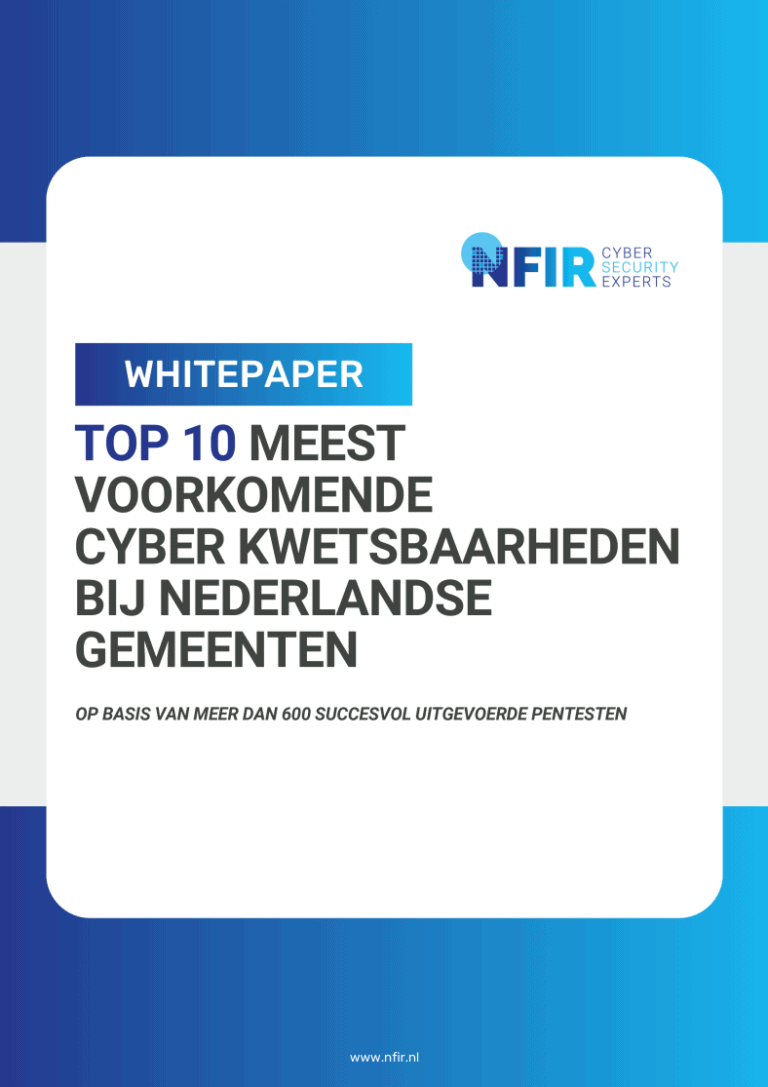
Op basis van meer dan 600 succesvol uitgevoerde pentesten.

Top 10 meest voorkomende cyber kwetsbaarheden bij Nederlandse Gemeenten

Download gratis whitepaper
De besproken kwetsbaarheden worden wereldwijd misbruikt, zo ook bij de Nederlandse gemeenten. Het doel van deze paper is gemeenten inzicht te geven in huidige dreigingen en hen te helpen bij het verbeteren van  beveiligingsmaatregelen. NFIR streeft naar transparantie om de weerbaarheid van gemeenten te verhogen en cyberaanvallen proactief tegen te gaan.

* geen registratie nodig, direct downloaden

Voer hier de inhoud in. Lorem ipsum dolor sit amet, consectetur adipiscing elit. Ut elit tellus, luctus nec ullamcorper mattis, pulvinar dapibus leo. Lorem ipsum dolor sit amet, consectetur adipiscing elit. Ut elit tellus, luctus nec ullamcorper mattis, pulvinar dapibus leo.

Pen tests

Penetration test?

Pen tests

Penetration test?

Pen tests

Penetration test?

Wat is MDR?

Managed Detection and Response (MDR) is een gespecialiseerde cybersecuritydienst die organisaties proactief beschermt tegen cyberdreigingen door een combinatie van geavanceerde technologie en menselijke expertise. Deze dienst biedt 24/7 monitoring, diepgaande analyse en proactieve dreigingsopsporing, met als doel het snel detecteren, onderzoeken en actief reageren op incidenten om de impact te minimaliseren en datalekken of ransomware-aanvallen te voorkomen, vanuit de aanname dat inbreuken onvermijdelijk zijn.

Wat is Security Monitoring

Security Monitoring is een essentieel onderdeel van Managed Detection and Response (MDR) en omvat de continue, 24/7 bewaking van de IT-omgeving van een organisatie, inclusief netwerken, systemen, applicaties, endpoints en cloudomgevingen. Het maakt gebruik van geavanceerde technologieën zoals AI en machine learning om loggegevens te filteren en te analyseren, verdachte activiteiten te detecteren en afwijkingen te identificeren.

Deze geautomatiseerde detecties worden vervolgens gevalideerd en geprioriteerd door menselijke beveiligingsspecialisten, die context en expertise toevoegen om vals-positieven te verminderen en echte dreigingen te onderscheiden. Het doel is om real-time inzicht te bieden in de beveiligingsstatus, kwetsbaarheden te identificeren en een snelle respons op incidenten mogelijk te maken, wat cruciaal is voor naleving van regelgeving zoals NIS2 en DORA.

Pentesten

Penetratietest laten uitvoeren?


Pentesten

Penetratietest laten uitvoeren?


Pen tests

Penetration test?

Pen tests

Penetration test?

Pen tests

Penetration test?

Pentesten

Penetratietest laten uitvoeren?


What is MDR?

Managed Detection and Response (MDR) is a specialized cybersecurity service that proactively protects organizations from cyber threats through a combination of advanced technology and human expertise. This service provides 24/7 monitoring, in-depth analysis and proactive threat detection, with the goal of quickly detecting, investigating and actively responding to incidents to minimize impact and prevent data breaches or ransomware attacks, based on the assumption that breaches are inevitable.

What is Security Monitoring

Security Monitoring is an essential component of Managed Detection and Response (MDR) and involves the continuous, 24/7 monitoring of an organization's IT environment, including networks, systems, applications, endpoints and cloud environments. It uses advanced technologies such as AI and machine learning to filter and analyze log data, detect suspicious activity and identify anomalies.

These automated detections are then validated and prioritized by human security specialists, who add context and expertise to reduce false positives and distinguish true threats. The goal is to provide real-time visibility into security status, identify vulnerabilities and enable rapid incident response, which is critical for regulatory compliance such as NIS2 and DORA.

Secure/evidence seizure - Secure phones, laptops & devices

NFIR offers support in the execution of digital evidence seizures. Depending on the situation, we can assist you directly with this based on our license as a Private Investigation Agency, granted by the Ministry of Justice and Security, or in cooperation with a bailiff.

We ensure that a snapshot is taken of relevant assets so that they can be examined at a later date if necessary. A non-exhaustive list of devices where we provide support includes:

  • Phones
  • Laptops
  • Tablets
  • NAS systems
  • Cameras
  • Cloud storage (Google Drive, Dropbox, Microsoft 365, OneDrive, SharePoint, etc.)
  • And many more, as long as it contains a 0 or a 1

In addition to securing and preserving potential evidence, NFIR also provides support in analyzing it. We can investigate both technical and tactical issues.

Examples:

  • Technical issue: "Was the device hacked at the time of the situation?"
  • Tactical issue: "Is there evidence to suggest possible forgery of these documents?"

Are you in need of these or any of our other services? If so, please contact us here. We will make sure you get a concrete answer to your questions as soon as possible.

What is surety or evidence seizure?

Evidence seizures and sureties are legal measures used to secure evidence or property in legal proceedings.

Evidence seizure is a procedure in which a party, often with court approval, seizes documents, digital data or other evidence. This is done to prevent such information from being lost, destroyed or otherwise inaccessible. Evidence seizures are often used in civil cases, such as intellectual property disputes or fraud investigations.

Securing has a broader application and can refer to securing goods, property or financial resources to protect rights or to fulfill a legal obligation. This can include criminal, civil or administrative law contexts. Consider seizing assets in bankruptcies or blocking bank accounts in cases of suspected money laundering.

Both measures aim to prevent important documents or resources from disappearing before a judge can rule on a case.

Pentest consultation

Pentesten

Penetratietest laten uitvoeren?


Pentesten

Penetratietest laten uitvoeren?


Pentesten

Penetratietest laten uitvoeren?


Pentesten

Penetratietest laten uitvoeren?


Pen tests

Penetration test?

Voer hier de inhoud in. Lorem ipsum dolor sit amet, consectetur adipiscing elit. Ut elit tellus, luctus nec ullamcorper mattis, pulvinar dapibus leo. Lorem ipsum dolor sit amet, consectetur adipiscing elit. Ut elit tellus, luctus nec ullamcorper mattis, pulvinar dapibus leo.

Voer hier de inhoud in. Lorem ipsum dolor sit amet, consectetur adipiscing elit. Ut elit tellus, luctus nec ullamcorper mattis, pulvinar dapibus leo. Lorem ipsum dolor sit amet, consectetur adipiscing elit. Ut elit tellus, luctus nec ullamcorper mattis, pulvinar dapibus leo.

Has my company been hacked (Compromise assessment)?

A complete check-up of your digital environment!

The crown jewels of many companies today are digital. That no third parties are secretly accessing that important database? Or have been watching that one server for ages? NFIR helps with a compromise assessment!

During a compromise assessment, NFIR's experts take a close look at all or part of your network, depending on your requirements. We will thoroughly investigate whether there is or has been intrusion by unauthorized parties on your systems. We do this using Threat Intelligence reports and already known Indicators of Compromise; indicators that indicate that something may be amiss.

This is different from a pen test, which can be used preventively to look for security vulnerabilities. In a compromise assessment, NFIR looks for actual misuse of these potential leaks.

If you have doubts about the integrity of your network, perhaps because of a previous incident or hard to pinpoint alerts from your monitoring systems, NFIR is here for you!

Pentest consult

zekerstellen/bewijsbeslag - Veiligstellen telefoons, laptops & apparaten

NFIR biedt ondersteuning bij het uitvoeren van digitaal bewijsbeslag. Afhankelijk van de situatie kunnen wij u hier direct bij assisteren op basis van onze vergunning als Particulier Onderzoeksbureau, verleend door het Ministerie van Justitie en Veiligheid, of in samenwerking met een deurwaarder.

Wij zorgen ervoor dat een momentopname wordt gemaakt van relevante goederen, zodat deze indien nodig op een later moment onderzocht kunnen worden. Een niet-uitputtende lijst van apparaten waarbij wij ondersteuning bieden, omvat:

  • Telefoons
  • Laptops
  • Tablets
  • NAS-systemen
  • Camera’s
  • Cloudopslag (Google Drive, Dropbox, Microsoft 365, OneDrive, SharePoint, etc.)
  • En nog veel meer, zolang het maar een 0 of een 1 bevat

Naast het veiligstellen en bewaren van mogelijk bewijsmateriaal, biedt NFIR ook ondersteuning bij het analyseren ervan. Wij kunnen zowel technische als tactische vraagstukken onderzoeken.

Voorbeelden:

  • Technisch vraagstuk: “Was het apparaat gehackt ten tijde van de situatie?”
  • Tactisch vraagstuk: “Is er bewijs dat wijst op mogelijke vervalsing van deze documenten?”

Heeft u behoefte aan deze of een van onze andere diensten? Neem dan hier contact met ons op. Wij zorgen ervoor dat u zo snel mogelijk een concreet antwoord krijgt op uw vragen.

Wat is zekerstellen of bewijsbeslag?

Bewijsbeslag en zekerstellen zijn juridische maatregelen die worden gebruikt om bewijs of eigendommen veilig te stellen in juridische procedures.

Bewijsbeslag is een procedure waarbij een partij, vaak met toestemming van de rechter, beslag legt op documenten, digitale gegevens of andere bewijsmiddelen. Dit wordt gedaan om te voorkomen dat deze informatie verloren gaat, vernietigd wordt of anderszins onbereikbaar wordt. Bewijsbeslag wordt vaak ingezet in civiele zaken, bijvoorbeeld bij geschillen over intellectueel eigendom of fraudeonderzoeken.

Zekerstellen heeft een bredere toepassing en kan slaan op het veiligstellen van goederen, eigendommen of financiële middelen ter bescherming van rechten of ter uitvoering van een juridische verplichting. Dit kan onder andere gebeuren in strafrechtelijke, civielrechtelijke of bestuursrechtelijke contexten. Denk aan het in beslag nemen van activa bij faillissementen of het blokkeren van bankrekeningen bij vermoedens van witwassen.

Beide maatregelen hebben als doel te voorkomen dat belangrijke stukken of middelen verdwijnen voordat een rechter zich over een zaak kan uitspreken.

Is mijn bedrijf gehackt? (Compromise assessment)

Een volledige check-up van uw digitale omgeving!

De kroonjuwelen van veel bedrijven zijn tegenwoordig digitaal. Dat er geen derde partijen stiekem toegang hebben tot die belangrijke database? Of al tijden mee zitten te kijken op die ene server? NFIR helpt met een compromise assessment!

Tijdens een compromise assessment nemen de experts van NFIR uw netwerk geheel of gedeeltelijk, afhankelijk van uw wens, onder de loep nemen. We gaan goed onderzoeken of er op uw systemen sprake is of is geweest van intrusie door ongeautoriseerde partijen. Dit doen wij aan de hand van Threat Intelligence rapporten en reeds bekende Indicators of Compromise; indicatoren die erop wijzen dat er mogelijk iets niet in de haak is.

Dit is anders dan een pentest, welke preventief kan worden ingezet om te zoeken naar beveiligingslekken. Bij een compromise assessment gaat NFIR op zoek naar daadwerkelijk misbruik van deze mogelijke lekken.

Als u twijfelt aan de integriteit van uw netwerk, misschien vanwege een eerder incident of vanwege moeilijk te duiden waarschuwingen van uw monitoring systemen, staat NFIR voor u klaar!

SECURITY INCIDENT AT YOUR ORGANIZATION?

The next 30 minutes are crucial!

The first 30 minutes after a cyber security incident are crucial because a quick and adequate response can limit the damage. In addition, further spread of the attack can be prevented and essential evidence can be secured for further investigation.

Our Computer Emergency Response Team (CERT) is available 24/7 to support businesses and organizations during IT security incidents.